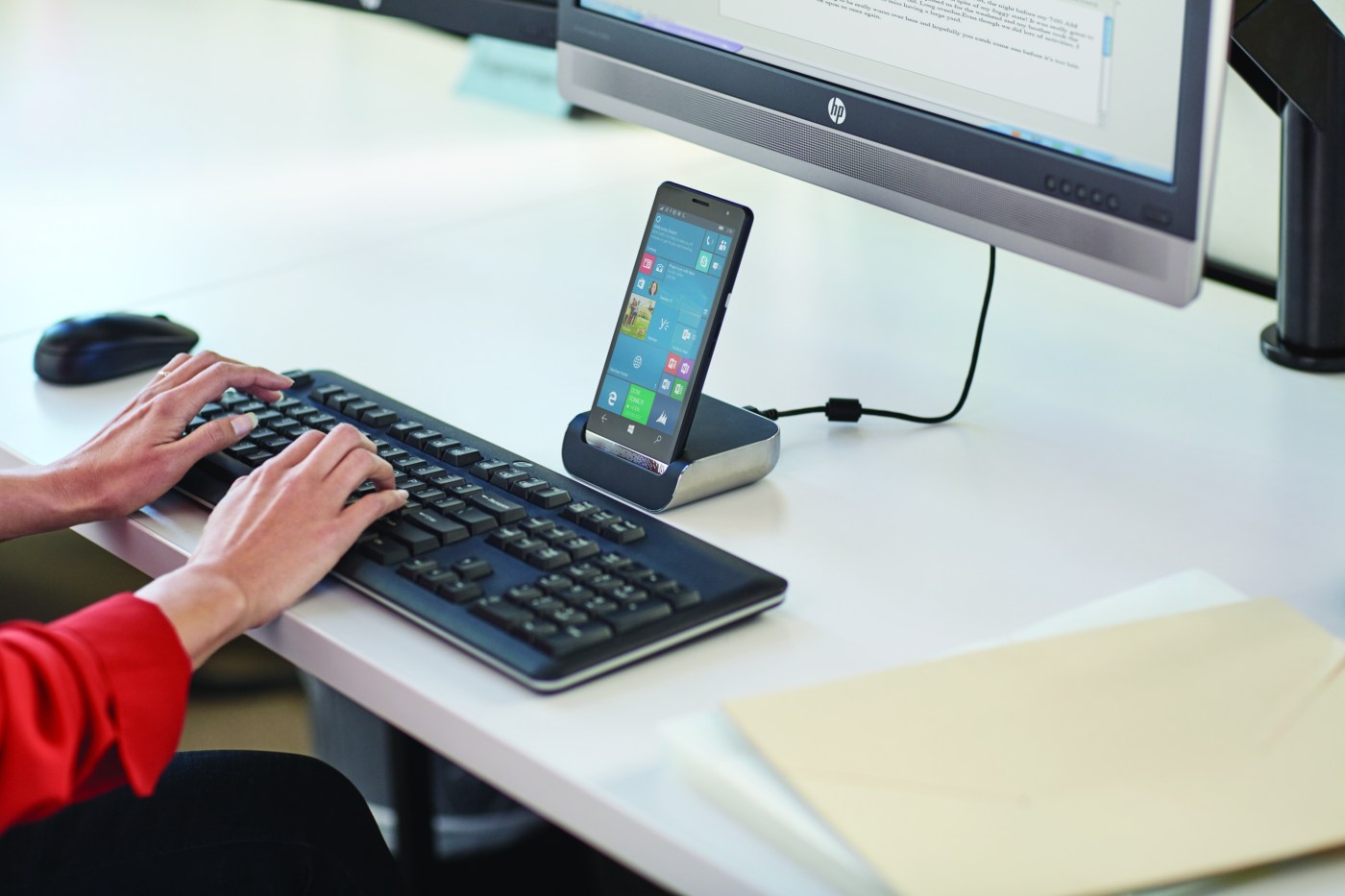
It is official that smartphones are powerful enough to serve as laptops. Especially the flagship ones which have a great amount of storage and very powerful CPUs and RAMs, and they offer many features that are not available in computers . also many companies have came up with many creative ideas to turn these phones into desktop computers. So in this blog we will see these products that turn smartphones into desktop computers and their advantages and inconveniences, in order to have a clear view on the future of computers.
before getting into details about those products, we first need to know what high-end smartphones have as hardware that makes the so powerful.
What specs do Today’s Smartphones have ?
Many manufactures are taking smartphones hardware to the extreme, especially companies like; Samsung, huawei, Google, One plus, LG and many more. Since SAMSUNG GALAXY S10+ is considered to be the best smartphone so far, let’s take its hardware as an example to see what modern phones offer:
Battery Capacity:
4100mAh (typical)
Memory:
- 1 TB with 12 GB RAM or 128/512 GB with 8 GB RAM , microSD, up to 512 GB (uses SIM 2 slot) – dual SIM model only
CPU:
- 8nm / 7nm 64-bit Octa-Core Processor 2.73㎓ (Maximum Clock Speed) + 2.31Ghz + 1.95Ghz
GPU( graphical processing unit ):
- Mali-G76 MP12 – EMEA /Adreno 640 – USA/LATAM, China
Network & Connectivity
- Enhanced 4X4 MIMO, 7CA, LAA, LTE Cat.20
Up to 2.0Gbps Download / Up to 150Mbps Upload
- Wi-Fi 802.11 a/b/g/n/ac/ax (2.4/5GHz),VHT80 MU-MIMO,1024QAM
Up to 1.2Gbps Download / Up to 1.2Gbps Upload
- Bluetooth® v 5.0 (LE up to 2Mbps), ANT+, USB type-C, NFC, Location (GPS, Galileo, Glonass, BeiDou)
Sensors
- Ultrasonic Fingerprint sensor (on-screen, Galaxy S10 and S10+)
- Capacitive Fingerprint sensor (side, Galaxy S10e)
- Pressure sensor
- Accelerometer
- Barometer
- Gyro sensor
- Geomagnetic sensor
- Hall sensor
- HR sensor (Galaxy S10 and S10+)
- Proximity sensor
- RGB Light sensor
From looking at these specification we can see clearly that modern smartphones are very powerful , and they can serve has laptops.
so now we will see some products and creative ideas used by manufacturers to turn these powerful phones into desktop computers.
Samsung Dex (Desktop eXperience)
Samsung DeX is an accessory sold with new Samsung devices (galaxy s8 and above). it is a dock that extends the functionality to allow desktop-like experience by connecting a keyboard, mouse, and monitor.
The dock provides all necessary ports like; USB-C port, Ethernet, HDMI 2.0 output and two USB 2.0 ports.also both mouse and keyboard can be connected via Bluetooth.
the operating system is based on android, since Samsung devices run on android.
Windows 10 Continuum
Windows offers a similar product to Samsung’s which turns windows phones to computers running on windows OS. however, Windows 10 Continuum can also be used wirelessly , which makes it easier to connect to smart TVs and can increase the productivity.
Huawei Desktop Mode
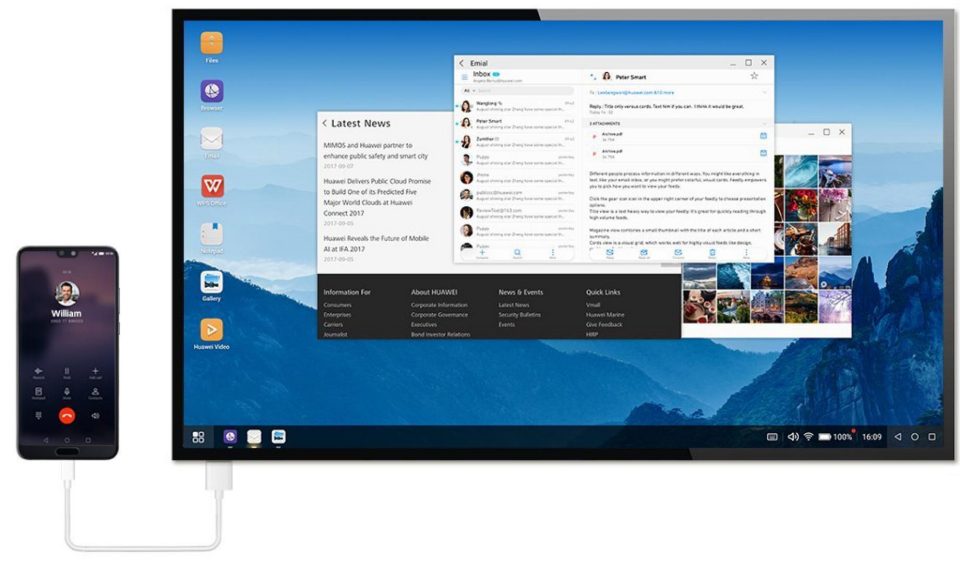
Huawei in the other hand, introduced a better solution. recent Huawei smartphones support a feature called “Huawei Desktop Mode” which allows users of these devices to have a desktop like experience just by connecting their phone to a monitor by a singe cable, the mouse and keyboard are connect to the phone wirlessly.
Advantages and Disadvantages
Advantages:
- the phone can be used to make calls and messages at the same time as using it as a PC.
- your phone can be used to perform all the daily tasks that require computers, so it saves a lot of effort and time.
- all your data can be accessed from one device.
- use both functionalities of a phone and a computer at the same time
- save money, instead of buying two devices you can buy only one
Disadvantages:
- it is difficult to work on complex projects and some tasks that require a lot of performance and power.
- a temporary disadvantage to “computer mode” in android phones is that many of the applications still don’t support it, which makes it very limited for the current time.
- also the prices of smartphones that support this feature are very expensive and can even reach to the price of a high-end PC.
Conclusion
As a conclusion, we can say that this idea of phones replacing computers is still new, and it holds a lot for the future of smartphones and computers.
So what do you think about these innovative products. Is this the end for desktop computers and will smatphones ever replace computers ?
 INELECTRONICS TECH Blog
Leave a comment